Deploying firmware updates during imaging - wot about security updates, m8?
Edit: There be dragons! This workflow is completely unsupported by Apple and they don’t want us to image anymore. It’s a naughty stop-gap, but in my case, right now, needs must. As for myself, I’ll only be doing this going forward for the remaining Security Updates released for macOS 10.12. I won’t be doing this for 10.13 (and it probably won’t work anyway!). We use Jamf Pro and I really hope that Jamf add support to their tools for automated re-provisioning leveraging startosinstall. I’ve even asked them to - please upvote my feature request if it’s important to you too.
So Apple released macOS 10.13.1 to the world and we’ve just had the obligatory Security Updates for 10.12.6 and 10.11.6. If, like me, you’re still deploying a previous version of macOS starting with a base image, with the Security Updates baked in, a-la AutoDMG, you might be thinking about firmware. Because, yep, those Security Updates include new firmware which you won’t get if you just restore that pre-baked image. And that’s bad, mmmkay?
Luckily, due to our awesome community, Allister Banks and Darren Wallace have done great work writing up workflows to extract the firmware from the App Store installer and get it into a traditional imaging workflow. But can we get the newer firmware out of those newly released Security Updates and use it in the same way? Why, yes, we can.
I’ll keep it short and sweet. If you build a macOS 10.12.6 or 10.11.6 image with AutoDMG and include the Security Updates, just grab the newer FirmwareUpdate.pkg that’s bundled with those Security Updates. Here are the links, straight from Apple’s own Software Update Servers:
Security Update 2017-001 for macOS 10.12.6 - shasum:
d3f592a7b29dcf7c5973d97dfa1fc276c5bbdaa8
Security Update 2017-004 for macOS 10.11.6 - shasum:
df1d942cf0597dda10b623c360ee0cd9994cfc1a
Once you have the package that matches your image’s version of macOS, follow the same steps to expand and rebuild it, covered in Allister and Darren’s posts above.
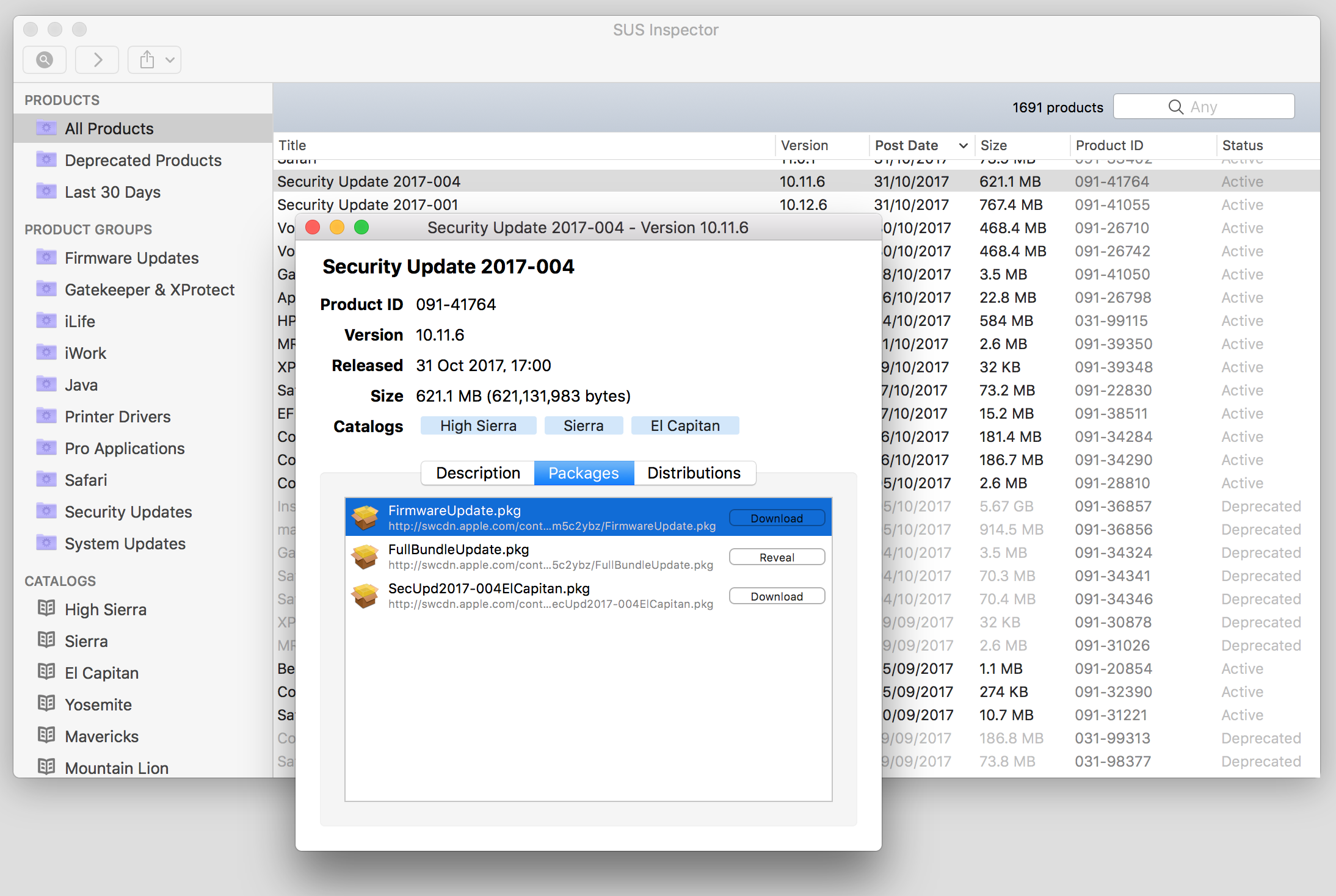
In case you’re wondering, I sniffed these packages out using Margarita on my own Reposado based Software Update Server, but you could also use SUS Inspector, as shown here:
Bear in mind that Apple doesn’t seem to include the same firmware updates across both Security Updates - namely, macOS 10.11.6 doesn’t get as many. Here’s a nice spreadsheet that shows the details, from Pepijn Bruienne.