Keynote, Numbers and Pages 15.1 now unified across all Apple operating systems
Today, Apple have released updated versions of their popular productivity apps as part of their Creator Studio subscription offering. These are now unified offerings, with a single app version for all operating systems. This has significant impact for Mac users as well as admins who deploy them from Apple School or Business Manager.
Edit (2025-01-30): Apple have provided some guidance around iOS/iPadOS updates and AppConfig settings for the new versions in this article (under the heading Update Apple Creator Studio Keynote, Numbers, and Pages apps).
They have user-facing information in this article.
What happened?
The new apps are updates to the previous iOS/iPadOS only versions. I.e. with these bundle identifiers which match the old versions for those platforms:
-
com.apple.Pages
-
com.apple.Numbers
-
com.apple.Keynote
Now they support macOS as well. The apps are free to install but some Premium content and features now require a paid subscription. At this time, the subscription is available to users signed into a personal Apple Account on the Mac. It is not available for purchase in Apple School/Business Manager or from Managed Apple Accounts directly.
The previous macOS versions look to have been removed from the App Store/Apple School and Business Manager briefly disappeared for some Apple School and Business manager before receiving a final version bump, and their bundle IDs are:
-
com.apple.iWork.Pages
-
com.apple.iWork.Numbers
-
com.apple.iWork.Keynote
So they’re essentially separate, different apps now…
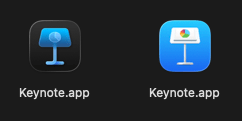
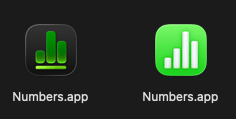
The new unified Apps also have different paths on disk but the display name is the same in Finder.

| Old path | New path |
|---|---|
| /Applications/Keynote.app | /Applications/Keynote Creator Studio.app |
| /Applications/Numbers.app | /Applications/Numbers Creator Studio.app |
| /Applications/Pages.app | /Applications/Pages Creator Studio.app |
What does this mean for Mac users?
-
They may see New Version of Keynote/Numbers/Pages Available warnings if they open a previous version
-
They may see Update to Collaborate warnings if they open a shared project in the previous version
-
They might need to manually install the new versions from the App Store themselves (if allowed) because they are technically new apps and not updates
-
After installation, they will see duplicate entries for the same app in their Applications folder if the previous one was present
-
They may try to use Premium content such as a template and see dialogs asking them to subscribe
-
They may not be able to use AI features, especially if they’re disabled by a device management service
-
They may not receive automatic updates from device management services without admins intervening
What does this mean for admins?
-
You may need to purchase licenses for the “new” version and deploy them to your Macs as a separate, new deployment
-
You might need to take action and delete the old versions from user’s Macs
Tracking down/deleting the previous iWork apps should be straightforward now we know their true paths and bundle identifiers.
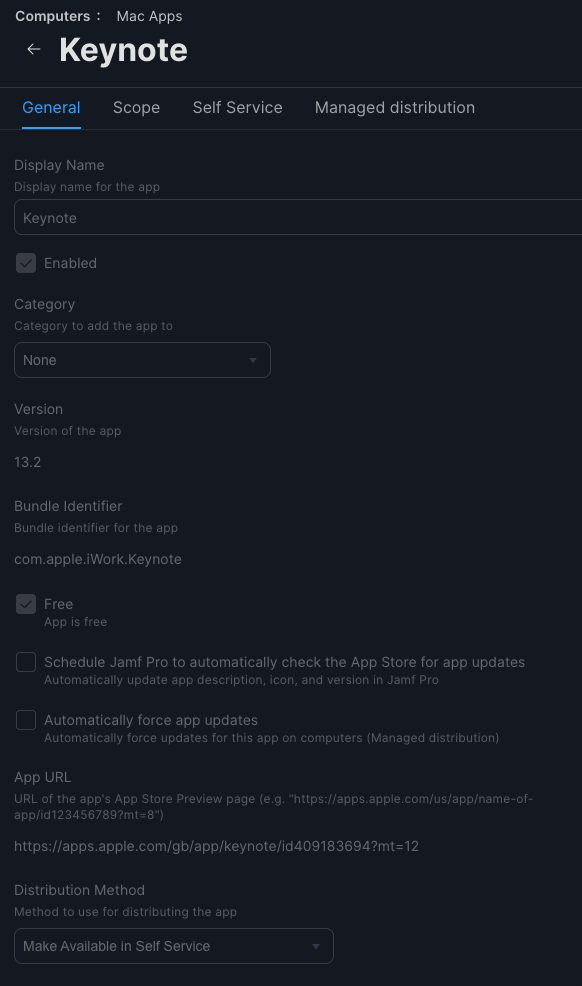
As an example, if you’re working with Jamf Pro, a Mac Apps record for Keynote (15.1) now looks like this after searching for and adding it:
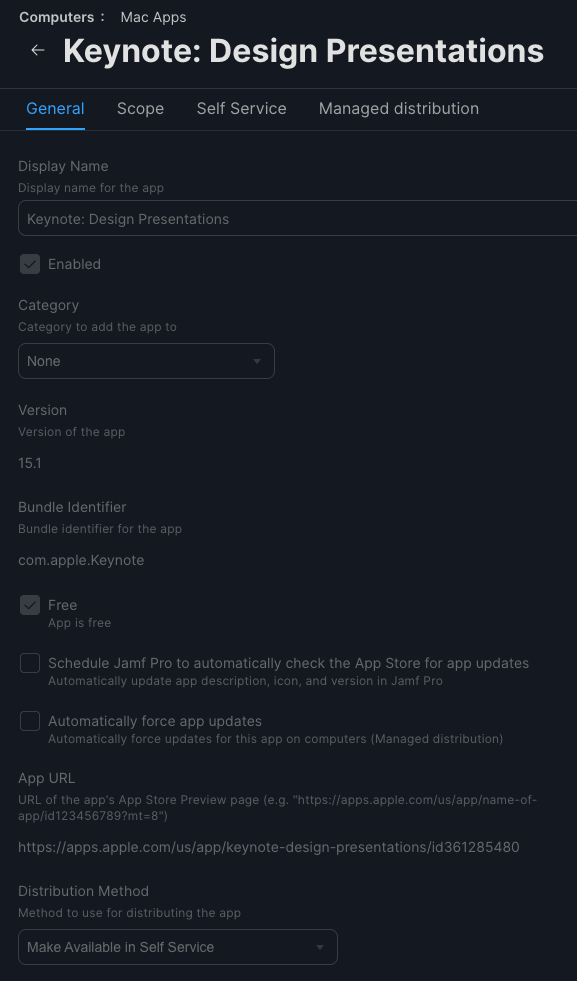
Compared to the previous version (13.2):